
Disney+
DisneyEntertainment
4.4193.02K Reviews
- Version
- 26.20.0+rc3-2026.11.02
- Installs
- 500.00M
- Age Rating
- Teen
Screenshots

Our Review of Disney+
 Analysis by Appyee
I usually open a streaming app with a simple question in mind: can I find something everyone at home will actually want to watch, without spending the whole evening scrolling? Disney+ is at its best when its familiar worlds already appeal to you, but it can also make choosing a film or series easier once you know how to use its browsing and profile options. I find it works less like a universal TV library and more like a focused destination for Disney’s stories and related entertainment.
When a focused library makes sense
Disney+ is an entertainment app from Disney, released on November 8, 2019. It is free to install, but watching the service’s catalogue requires you to consider its subscription arrangements and any in-app purchases; those purchases range from $11.99 to $999.99 per item. I would check the current terms shown in the app before committing, especially if you are comparing it with another streaming service or setting it up for a household.
Its strongest starting point is obvious: if your household regularly returns to Disney films, Marvel stories, Star Wars, or the company’s documentaries and original productions, the catalogue has a clear purpose. The service is less compelling if you want one app to cover every studio, genre, or niche interest. In that case, a broader general-purpose streaming option may suit you better, while Disney+ is more useful as a specific addition rather than a replacement for everything else.
The app has a 4.3 average from around 4.9 million ratings, and it has been installed over 100 million times. That kind of reach makes it easy to find people who already know the service, but popularity does not guarantee that its library matches your tastes. I would decide based on the titles your household actually watches, not on the size of the audience around it.
Endless Content Choices
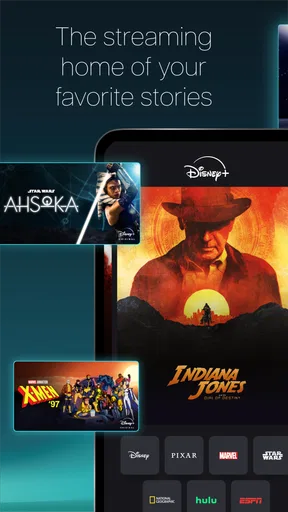
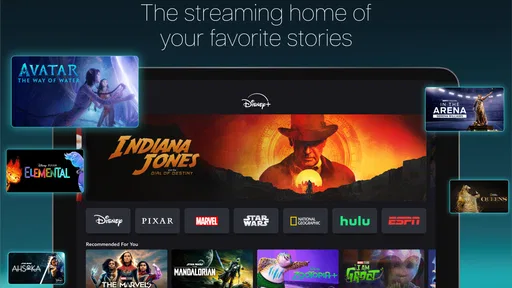
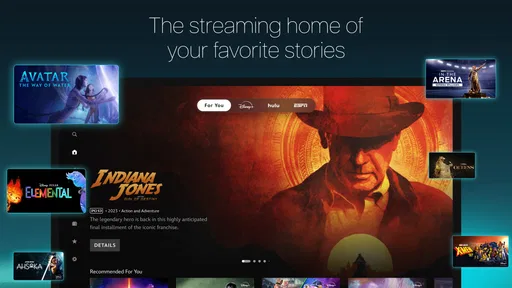
One of the first things you'll notice about Disney+ is the sheer variety of content available. From classic Disney movies that you've probably watched a million times (and wouldn't mind watching a million more) to the latest Marvel blockbusters, there's something for everyone. And let's not forget the iconic Star Wars series, which is practically a rite of passage for any sci-fi fan.
What I love is how easy it is to navigate the app. The user interface is sleek and intuitive, making it super simple to find what you’re looking for. Whether you want to dive into a nostalgic favorite or discover something new, it's all just a tap away. Plus, there are personalized recommendations that actually seem to know what I want to watch before I do. Spooky, right?
From opening the app to pressing play
My most useful routine is to start with a specific mood or occasion rather than browsing every shelf. If I want a familiar film for a quiet evening, I look through the older Disney choices; if I have more time, I check the series and originals. That small decision saves me from treating the home screen as an endless menu. Recommendations can help surface something relevant, but I still use them as suggestions, not as a promise that a title will be a perfect fit.
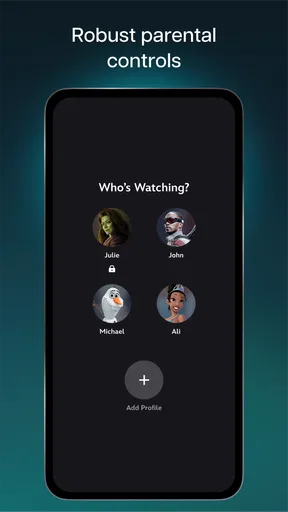
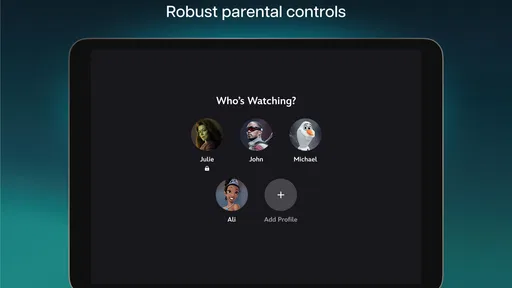
A practical household workflow is to set up separate profiles before everyone starts watching. That keeps a child’s viewing experience distinct from an adult’s and gives different viewers a more personal starting point. When several people share a screen, it also helps to agree on whose profile to use before a film begins; otherwise, the recommendations can become a muddle of everyone’s viewing habits. Profile separation is a small setup step with a noticeable payoff over time.
For a family movie night, I would shortlist a few choices before gathering everyone around the TV. That avoids turning the first part of the evening into a negotiation through the catalogue. For solo viewing, I use browsing more freely, but I still find it helpful to choose a category of interest first. The app is most convenient when I arrive with even a loose idea of what I want, rather than expecting it to make every decision for me.
Exclusive Content and Originals
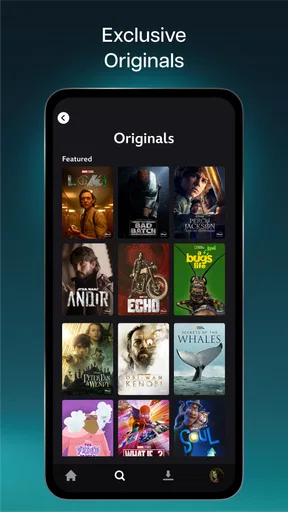
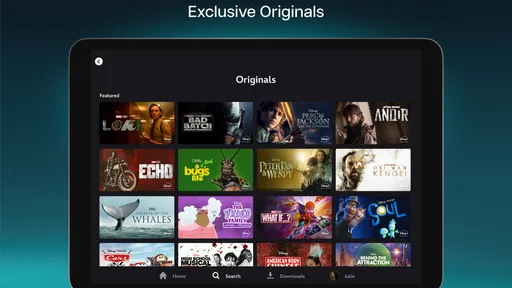
Now, let’s talk about the exclusives. Disney+ is not just about reliving the old days; it’s also about fresh content. The platform boasts a range of original series and movies that you won’t find anywhere else. "The Mandalorian," anyone? This show alone is worth the subscription fee if you ask me. The production quality of these originals is top-notch, making them a delightful addition to the Disney universe.
And hey, if you’re a fan of documentaries, you're in for a treat. The app offers a variety of insightful documentaries that explore behind-the-scenes magic and the fascinating history of Disney itself.
Choosing a title for the time you have
Originals give the service a reason to stay relevant even if you have already watched the animated classics. I think they are especially useful when a household has one person who wants a familiar film and another who prefers a series with a new story. A documentary can also be a good middle ground: it offers a different kind of viewing without asking everyone to commit to a long fictional series.
One trade-off is that a streaming catalogue can feel deep to a fan and narrow to someone whose interests lie elsewhere. If your priority is a wide mix of unrelated studios and genres, compare the available libraries before paying for more than one service. If you mostly want Disney-owned worlds and the originals connected to them, the tighter focus is an advantage: it makes the app’s identity clear and gives fans a natural place to continue exploring.
Family-Friendly Features
What’s great about Disney+ is that it’s truly a family affair. The app allows you to create multiple profiles, so everyone gets their own personalized experience. There’s even a kids' mode that ensures the little ones are only seeing age-appropriate content. It’s a win-win situation for parents!
Still, I would treat parental settings as part of an adult’s setup rather than assume that a shared device is automatically ready for children. Disney+ carries a Teen content rating, so a parent should review the profiles and viewing controls before handing over a device. A child-focused mode can help narrow what is shown, but it is sensible to check the screen yourself and make sure the selected profile is the right one before play starts.
The multiple-profile arrangement is most valuable in homes with different ages and tastes, but it can be less useful for someone watching alone on a personal device. If that is your situation, you can simply keep the setup minimal. The app does not need to become a household project; the extra organization is there for people who will benefit from separating their viewing.
Taking a watchlist beyond the living room
Downloads are useful when I know the next viewing situation will have unreliable or no Wi-Fi, such as a journey or a wait away from home. I would prepare before leaving rather than depend on a last-minute download: choose the film or episodes, make sure they have finished downloading, and then check that they appear ready to play. This is a simple handoff from browsing at home to watching on the move, and it avoids discovering a connection problem only after the trip has started.
Offline viewing is not a substitute for planning what you want to watch. A long journey with children may call for a few shorter choices instead of one title everyone must sit through, while a solo trip might be a good time to save a series for yourself. Downloads are most helpful when they match the length and audience of the journey; otherwise, it is easy to save content you never get around to opening.
There is also a practical device trade-off: downloaded viewing depends on preparing on the device you plan to take with you. If you switch devices at the last minute, do not assume your offline choices will be ready there too. I treat downloads as a travel checklist item, much like packing headphones, rather than as something to sort out once I am already on the way.
Quality and Accessibility
Streaming quality on Disney+ is impressive. Most of the content is available in HD, and some titles even support 4K Ultra HD and HDR, making your viewing experience incredibly immersive. Plus, with subtitles and audio descriptions available, Disney+ is accessible to a wide range of audiences.
For the best experience, I would think about the whole viewing setup, not just the app: the screen, connection, and the title all affect what you notice. A large screen can make a polished film feel more absorbing, while subtitles can be useful in a noisy room or when someone nearby is sleeping. Audio descriptions may help viewers who benefit from them, so accessibility is not only a box to tick; it can determine whether a particular person can comfortably follow along.
My everyday example is a weekday evening when one person wants a quick familiar movie and another wants to continue a series. I would use separate profiles to keep their recommendations distinct, choose the title before settling in, and download something ahead of time only if travel or weak connectivity is likely. Each step solves a different small problem: profiles reduce mix-ups, a deliberate choice cuts down on browsing, and preparation makes offline viewing dependable.
Where the viewing routine can stumble
The main friction is not complicated navigation so much as expectation. A recognisable brand can make people assume the catalogue will satisfy every taste, but a focused library inevitably leaves some viewers wanting a wider range. Someone who watches mostly unrelated genres or wants a single service for a broad mix should compare alternatives first. Someone who comes back for Disney, Marvel, Star Wars, or the related originals is much more likely to feel the app earns its place.
Another potential snag is choosing the wrong profile or assuming a child is protected simply because the service is family-oriented. I would check the profile before playback, review the available controls with the parent or guardian, and avoid leaving a shared account on an adult’s viewing profile for a child to browse. That quick check is more reliable than trusting a remembered setup from a previous evening.
The app is marked for Teen audiences, and its current version is 4.20.2+rc1-2025.12.09, with Android 5.0 as the minimum operating system listed. If you are installing it on an older device, the operating-system requirement is worth checking before you plan a trip around offline viewing. The app is free to download, but the service’s purchase options mean it is still important to understand the subscription or transaction terms displayed at sign-up rather than treating installation as the whole cost decision.
Who I would recommend it to
I would recommend Disney+ to someone who has a short list of Disney-related films and series they genuinely revisit, parents who want separate viewing spaces for adults and children, and fans who value originals alongside older favorites. It also makes sense for a household that can use downloads on journeys and accessibility options at home. Those are concrete reasons to keep it in a regular rotation, not just to install it because the name is familiar.
I would hesitate if you rarely watch these franchises, need one catalogue to cover a wide range of studios, or are trying to reduce the number of paid services you maintain. A general streaming alternative may be better when variety across unrelated providers matters more than access to a particular entertainment universe. If you are unsure, make a short list of what you plan to watch and compare that with the service’s current catalogue and terms before subscribing.
In conclusion, Disney+ is more than just a streaming service. It's a gateway to worlds filled with adventure, laughter, and nostalgia. Whether you’re a die-hard Disney fan or a newcomer wanting to explore, this app offers a seamless and magical experience. So go ahead, dive into the magic, and enjoy every moment!
Privacy and Permissions
See what permissions an app requests and how it handles your data.
- Location
- approximate location (network-based), precise location (GPS and network-based)
- Microphone
- record audio
- Other
- view network connections, full network access, run at startup, control vibration, prevent device from sleeping
How Disney+ Compares
Full ComparisonNetflix suits viewers who want a broad, frequently refreshed library, Prime Video appeals to value seekers who want films, series and live programming, and Disney+ is the focused pick for Disney, Star
| App | Developer | Rating | Price |
|---|---|---|---|
 Netflix | Netflix, Inc. | 4.8 | Free |
 Prime Video | Amazon Mobile LLC | 4.7 | Free |
 Disney+This App | Disney | 4.4 | Free |
Verdict
Strengths of Disney+
- Extensive library of Disney classics.
- Includes Marvel, Star Wars, and Pixar content.
- User-friendly interface and navigation.
- Download for offline viewing available.
- Ad-free streaming experience.
Limitations of Disney+
- Limited regional content availability.
- No live TV options available.
- Content updates can be infrequent.
- Simultaneous streams are limited.
- Higher cost compared to competitors.
Other Releases by Disney
View All
Hulu: Stream TV shows & movies
Entertainment4.5

ESPN
Sports4.5

My Disney Experience
Travel & Local4.5

ESPN Fantasy Sports
Sports4.6
Similar Picks in This Category
View All
Google Play Games
Google LLC3.9

Netflix
Netflix, Inc.4.8

YouTube Kids
Google LLC4.2

Prime Video
Amazon Mobile LLC4.7

Steam
Valve Corporation3.2

PlayStation App
PlayStation Mobile Inc.3.5
You May Also Like
View All
Frequently Asked Questions
What content is available on Disney+?
Disney+ offers a vast library of content, including classic Disney movies, Pixar films, Marvel Cinematic Universe movies, Star Wars series, and National Geographic documentaries. It also features original programming exclusive to the platform, such as "The Mandalorian" and "WandaVision," making it a comprehensive entertainment option for all ages.
Can I download content for offline viewing on Disney+?
Yes, Disney+ allows you to download movies and shows for offline viewing. This feature is available on mobile devices and tablets, making it convenient for traveling or when you don't have a stable internet connection. The number of downloads is determined by your device's storage capacity.
How many devices can stream Disney+ simultaneously?
Disney+ supports streaming on up to four devices simultaneously with one subscription. This makes it an ideal choice for families or households with multiple users, allowing everyone to enjoy their favorite content without any interruptions or additional costs.
Is there a free trial available for Disney+?
Disney+ does not currently offer a free trial in most regions. However, they provide various subscription plans, including monthly and annual options. Occasionally, promotions or partnerships might offer limited-time trials or discounts, so it's worth keeping an eye out for special offers.
What parental controls are available on Disney+?
Disney+ offers robust parental controls to help manage what younger viewers can watch. You can create separate profiles for children, which restricts content to age-appropriate shows and movies. Additionally, the platform includes a Kids Profile option that features an easy-to-navigate interface for younger audiences.
